
A free companion app that makes any phone a wireless camera on the desk — found automatically, controlled from the studio, and honest with you about its own signal. Eight of them at once, in the building or anywhere on earth: with Skynat Remote a phone in another city is a camera on your desk, its picture sharpening the moment you take it to air.
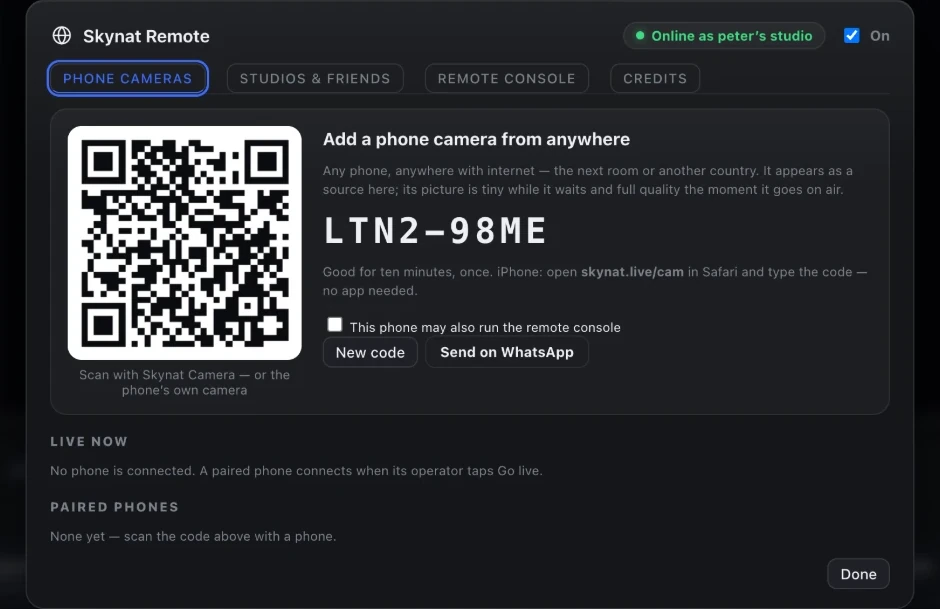
On the same Wi-Fi there is nothing to type at all — the studio broadcasts its presence and the phone lists it. Joining from elsewhere is a scanned code.
A list of feature names tells you nothing. Here is the problem each one solves, and what the show looks like without it.
The desktop app broadcasts a small beacon on the local network. Open the phone app and the studio is simply in a list, with the free camera slots it has available. Tap one, type the four-digit key on the studio screen, and you are on the desk.
Everywhere else: you are reading an IP address off one screen and typing it into a phone, in a dark room, before a service starts.
It watches the encoder’s own dropped-frame reports. Two bad intervals and it steps the bitrate down; ten clean ones and it climbs back. A Wi-Fi hiccup in the first song does not cap that camera at potato quality for the rest of the event.
The usual approach: is a one-way ratchet, or a fixed bitrate you picked before you knew what the room’s network would do.
A separate control channel carries tally to the handset, so the person holding it sees a red border the moment their shot is live — and knows to stop moving. It reconnects on its own if it drops, and the video keeps streaming regardless, because the two are not the same connection.
Without tally: the operator is guessing, and the audience watches a camera reframe itself live because nobody told the person it was on.
Send a one-line instruction from the studio — "wide shot", "come left", "we are going to you next" — and it appears on their screen. They can press Attention to ping you back when they have something worth cutting to.
Otherwise: it is hand signals across a dark room, or a second person relaying on a phone call.
The phone writes a full-quality file to its own storage at the same time as it publishes. If the Wi-Fi dies mid-song, the stream loses that angle but the recording does not — and the file is waiting for you in the edit.
Without it: a dropped connection means that camera simply does not exist for those two minutes, in the stream and in the edit both.
Cycles through every camera the phone exposes — back, front, and the ultra-wide or telephoto where the manufacturer reports them separately. Torch, mute, and zoom, focus and stabilisation profiles are all on the handset.
Worth knowing: a modern phone’s main sensor outresolves a lot of what gets sold as a streaming camera. The limit is usually the network, not the glass.
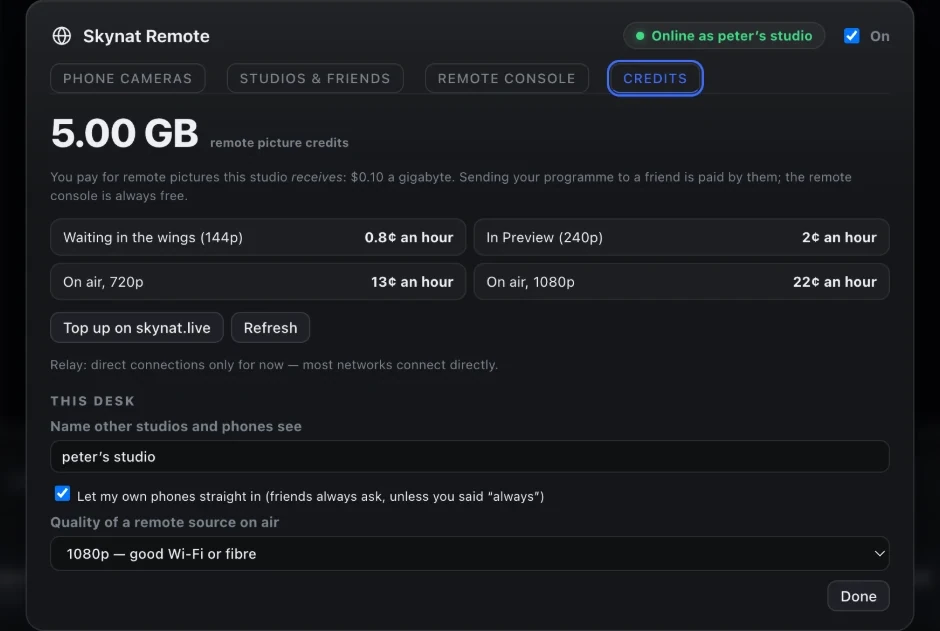
A remote camera sends a small picture while it waits in the wings, a sharper one the moment it is put on Preview, and full quality the instant it is taken to air — the picture is already sharp when the cut lands. The desk hears the operator, the operator hears the desk, and the camera can be a phone, a browser on a laptop, or another Skynat Live studio altogether. Remote sources are paid for by the gigabyte from credits in your dashboard, with a grace line that never cuts a running stream; the remote console is free.
Which matters because: a reporter across town, a second campus, a guest preacher at home — every one of them is a camera on the desk, and none of them costs a thing until they are on air.
One phone at the side of the room, on a tripod, and the studio can measure where the presenter is as they move — any number of ordinary cameras will do it, no special hardware. That is what keeps a walking presenter the right size and in the right place in a virtual set, and what lets an ordinary camera drive the set the way a PTZ head does.
In practice: the phone in the drawer becomes the most useful camera in the building.
For a contributor who is not in the building, the studio shows a code — or sends it by WhatsApp. The phone scans it (or types it at skynat.live/cam) and joins over the internet: no router settings, no addresses, nothing to install on an iPhone. Its picture is small while it waits and full quality the moment it goes on air.
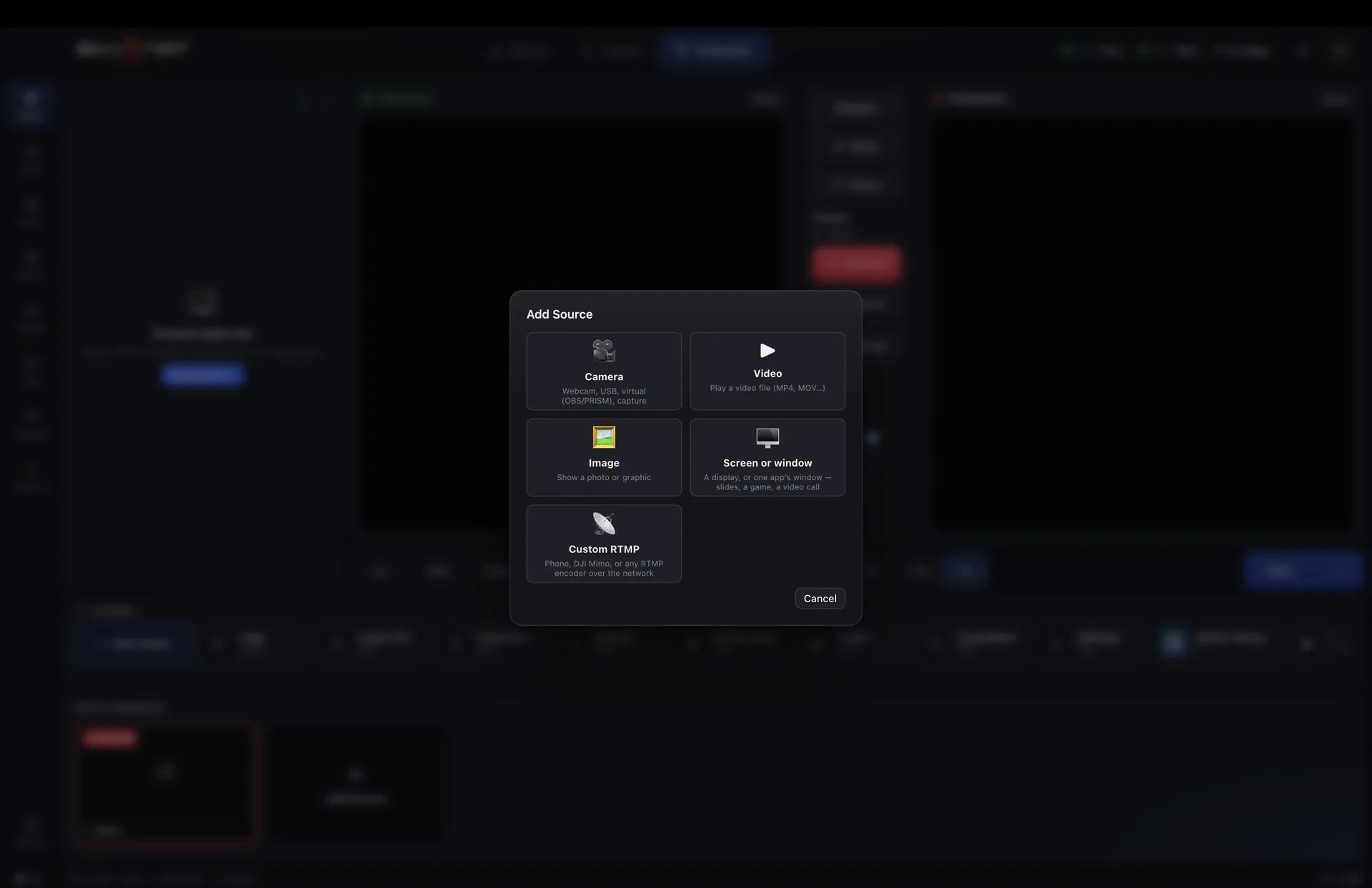
The studio advertises the free slots it has and the app picks one. Each connected phone is a full input on the desk — it can be graded, it goes through the audio console, and it can be recorded to its own isolated file like any other camera.
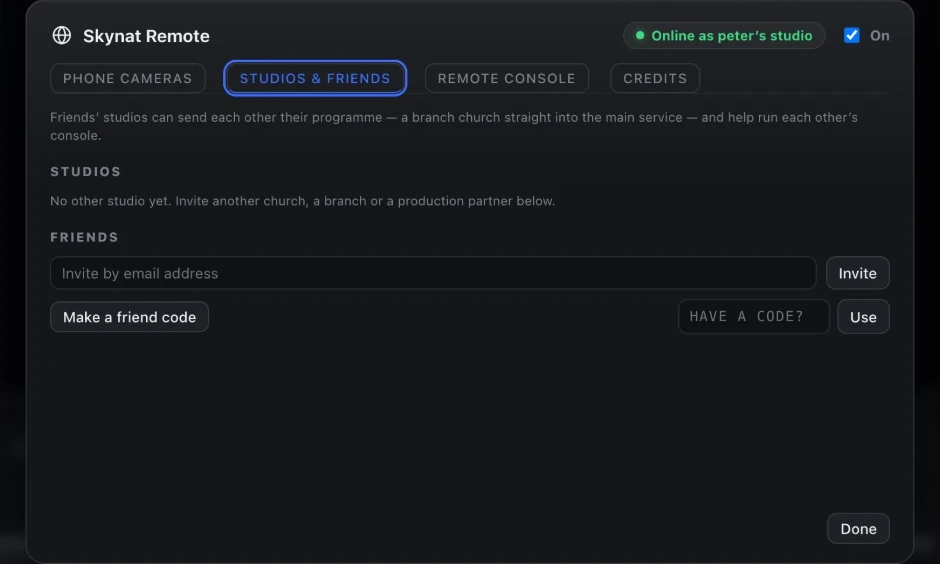
Invite a branch, a partner church or a production company once, by email or a friend code, and their studio is simply there — their programme a source on your desk, yours on theirs. Friends stay friends until either of you says otherwise.
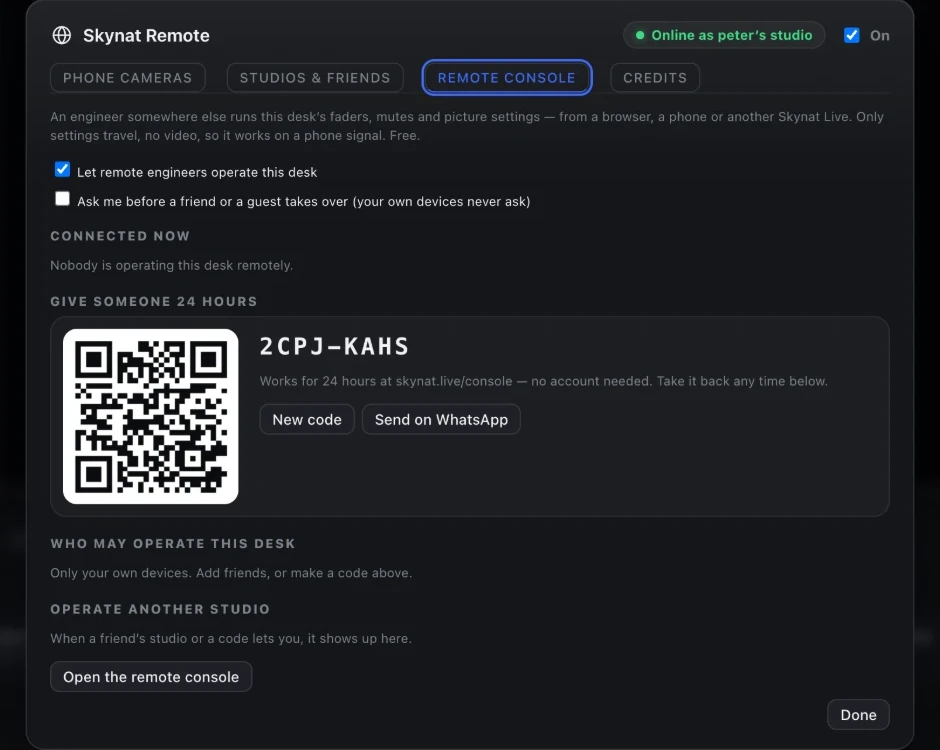
Give someone 24 hours with a code sent by WhatsApp, or let a friend’s studio in for good. They run the faders, the mutes, the picture and Enhance from a phone, a browser or their own Skynat Live. Only settings travel, no video, so it works on a phone signal — and it is free.
A remote camera waiting in the wings costs under a cent an hour; on air in 1080p about 22 cents. Credits are topped up on skynat.live, and a stream that runs past zero is never cut — it goes a little into the red and you top up afterwards.
No per-seat charge and no account. A volunteer installs it and joins; that is the whole onboarding.
800, 1800 and 3500 kbps, or Auto, which starts in the middle and finds its own level.
The handset warns its operator at 15%, before it becomes your problem.
The control channel retries by itself, and streaming never depended on it.
Publish the phone’s audio into the console as a channel, or mute it and use it for picture only.
The spare drawer phone nobody uses is a camera. That is usually the cheapest angle you will ever add.
For the times the shot is darker than anyone planned.
Shipping as version 2.0. The Android app is a direct download from skynat.live/get/skynat-camera.
A phone can join as a tracking camera only: it watches the room so the studio can follow the presenter, and never goes to air.
The same app opens the remote console: faders, mutes, picture grades and Enhance for a studio you have been given access to, from anywhere. No video is carried, so it works on the thinnest connection.
Every connected phone behaves as an ordinary input: graded in the colour room, mixed in the audio console, and available for isolated recording.
Or $19 a month. Affordable, and everything is in it — every update in the year included, nothing renews on its own. Max, with the heavy GPU features, is $599 a year or $79 a month.
