
Your phone lights faces, opens shadows, calms noise and keeps skin true — automatically, on every photo, and it has for years. Your streaming camera does none of it. Enhance gives every camera on the desk that intelligence: one switch, and the person in front of it is found, lit and kept looking like themselves, whatever the room and whatever their skin. In every edition of Skynat Live, on every camera.

Automatic is the way most people will use it: the picture is read a few times a second and the amounts are chosen from it, then eased in the way a camera’s own exposure moves, so nothing jumps on air. Manual is the same amounts as sliders, starting from what automatic chose.
A list of feature names tells you nothing. Here is the problem each one solves, and what the show looks like without it.
The commonest bad picture in any hall is a presenter in front of a window or a bright wall: the camera exposes for the room and the face goes dark. Enhance finds the face — every tone of face, in every light — and lights for it. The window stays a window; the person in front of it is lit like the person the shot is about.
Which matters because: a face people cannot read is a message people cannot hear.
Camera automatics were tuned, for decades, on one kind of skin, and everyone else came out grey, ashy or washed out. Enhance does not push every face to one “correct” brightness. Darker skin, well lit, sits lower on the scale than lighter skin, well lit, and it is kept there — lifted only as far as the light in the room was short, with its colour carried up with it, so a lifted face is a lit face and never a grey one. And the colour of the light is read off the skin itself: a green cast from fluorescent tubes or a magenta cast from a stage wash comes off the face first.
What you see: people who look like themselves — the thing every phone maker now advertises, on your camera, live.
A soft key light falls on the presenter — brightest at the face, falling away down the body — and the room around them goes a touch darker, the way a real studio light leaves a room. The person is found from the picture, so the light stays on them as they move and never spills onto the wall as a bright patch.
In practice: a pastor at a lectern under strip lighting looks like a presenter under a key light.
The dark parts of the picture are opened where they are dark — not everywhere — and the bright parts are left alone, so a dark suit gets its detail back without the window behind it blowing out. A gentle curve gives the picture richness without crushing it, and crispness comes in where the picture can take it, gently on skin, so nobody is etched.
Without it: the choice is a face you can see and a window that is a white rectangle, or the other way round.
Cheap sensors in dim halls crawl with grain. Enhance measures the noise on the real pixels and calms it in proportion — mostly across time, where nothing moves, so a still wall goes smooth while a moving hand stays sharp and never smears.
Which matters because: noise is what makes a stream look cheap, and it costs bitrate that could have gone on the picture.
The whole of Enhance runs on the graphics card, ahead of the colour grade, so a look on top is a look on a good picture. It costs the processor a few milliseconds a few times a second — the looking — and nothing more. Standard, Max, an old Intel Mac: all of it, on every camera and on the programme itself.
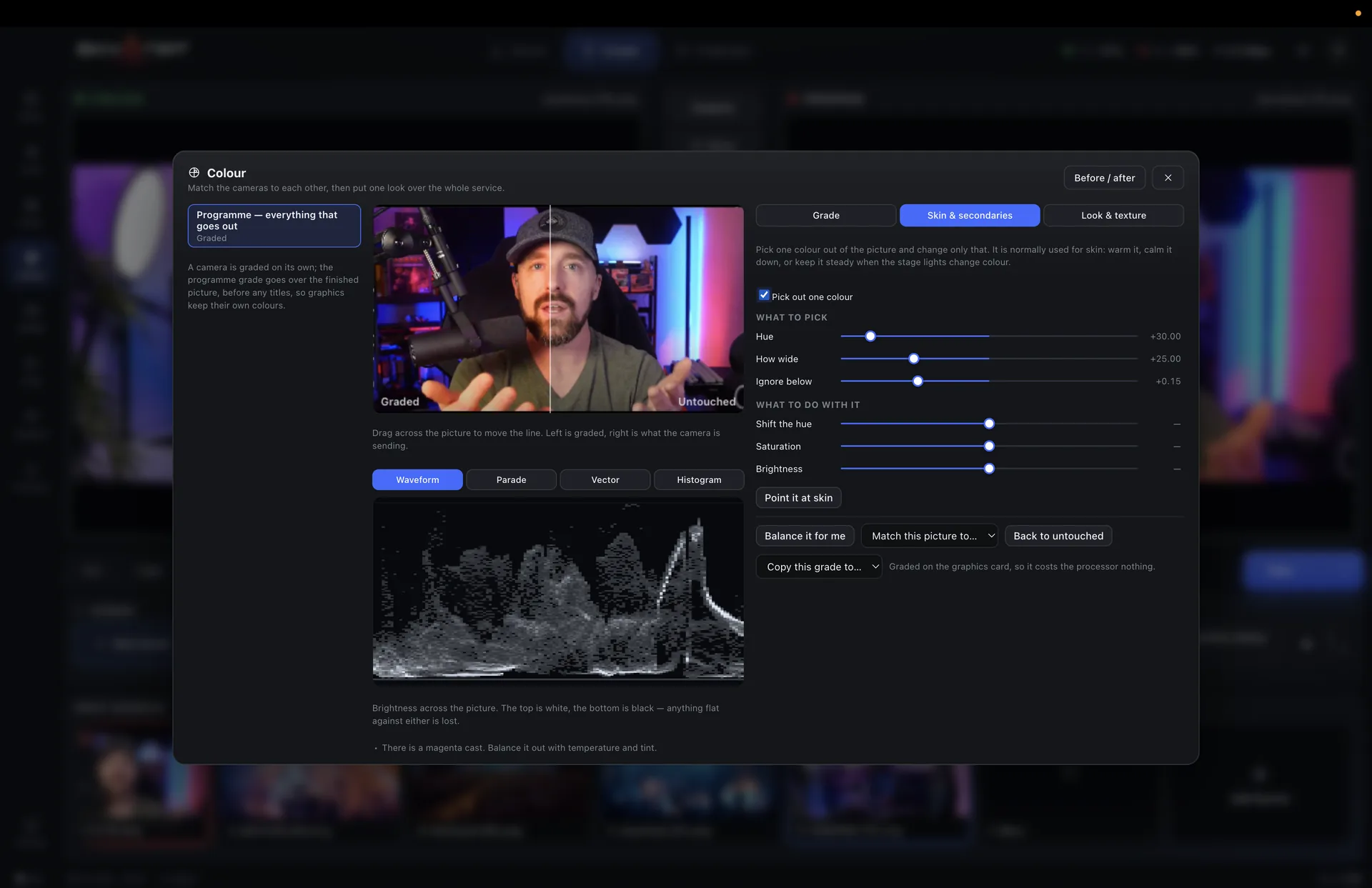
Worth knowing: it is in the ⋯ menu of every camera, and in the colour room with its own tab.
The panel says what Enhance is doing in plain words — “lighting the face +1.0 stop · opening the shadows · calming some noise · balancing the light off the skin” — with a meter for each amount. One strength slider says how far to go: half is subtle, all of it is a studio light.
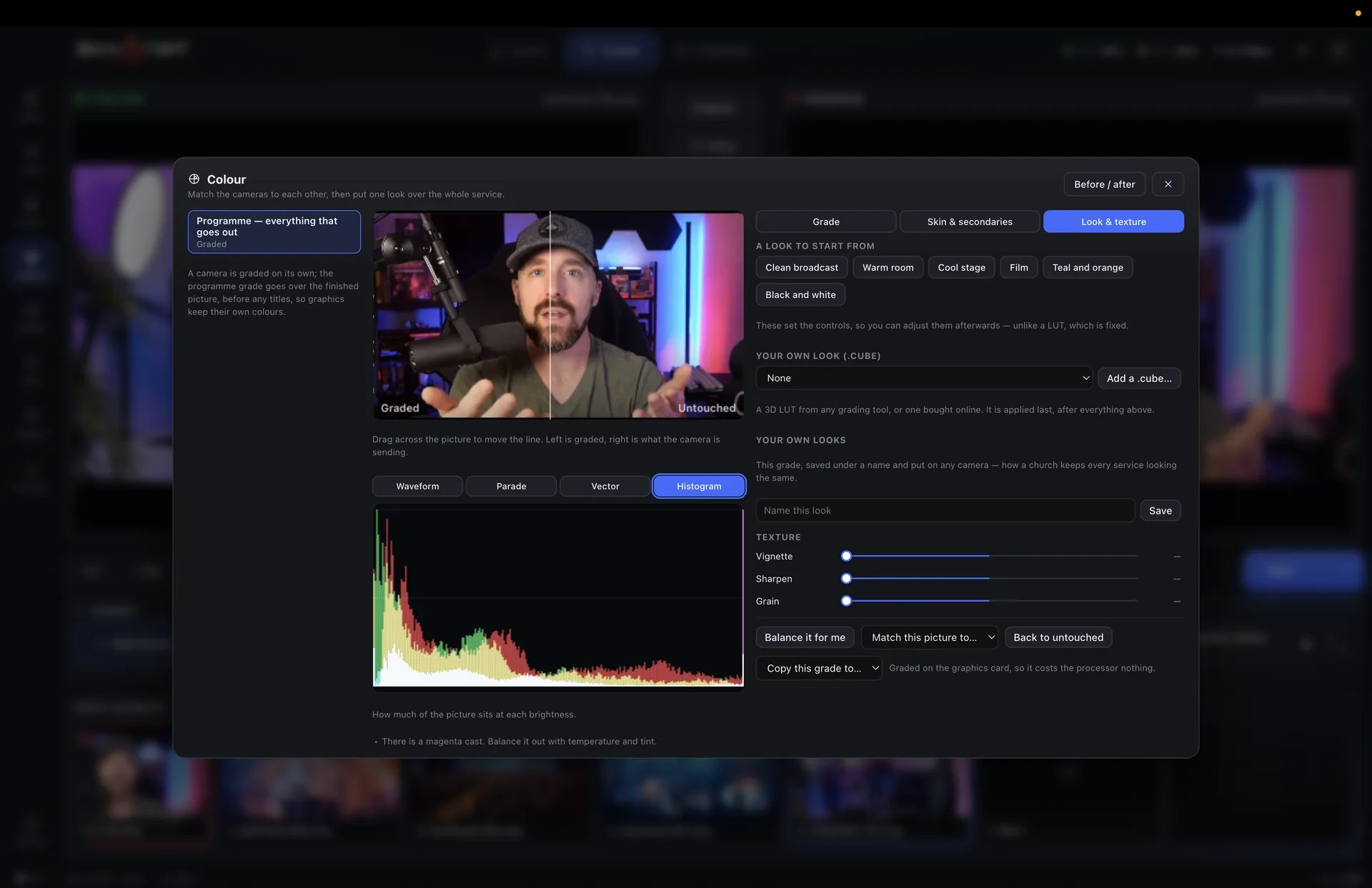
Light on the face, open shadows, dim the room, the colour of the light, contrast, crispness, vivid colour, calm noise, smooth skin — each a slider, starting from what automatic chose. The remote engineer can switch it and set its strength from anywhere.
The light stays on the person as they move, and fades gently when they leave the shot.
Never pushed to one grey; lifted only as far as the light was short, with the colour carried up.
The colour of the light is read off the skin and corrected there first.
A studio light’s look: the person lit, the room a touch darker.
Grain calmed across time where nothing moves; a moving hand never smears.
Pores and blemishes average out on skin only; eyes, lips and hair hold their edge.
In a virtual set the presenter is lit before they are cut out, so the person in the studio is well lit.
Enhance works on the whole output too, for a single-camera show.
Switch it, choose automatic or by hand, and set the strength from a phone anywhere.
Enhance is part of Skynat Live 5.1 on every edition and every camera, including remote cameras and the programme. It never changes a picture that is already right: a well-lit face is left alone.
Or $19 a month. Affordable, and everything is in it — every update in the year included, nothing renews on its own. Max, with the heavy GPU features, is $599 a year or $79 a month.
