
No app to install, no account, nothing to configure. Scan the code on screen and a full remote control opens in the phone’s browser — on any phone, any tablet, anybody’s device.
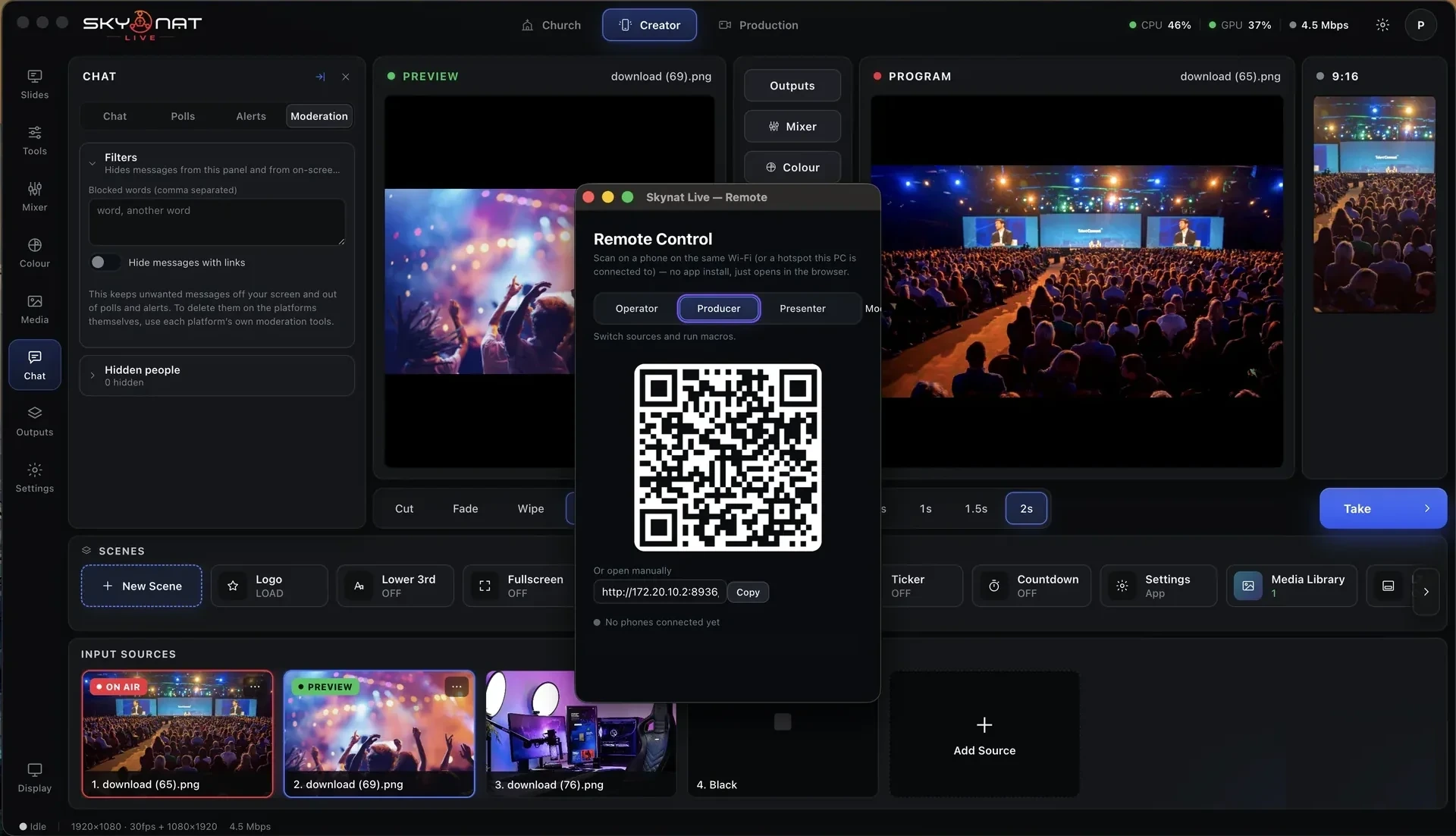
It runs on your own network, so the phone never needs to be signed in to anything.
A list of feature names tells you nothing. Here is the problem each one solves, and what the show looks like without it.
It opens in a browser, so it works on an iPhone, an Android, a tablet, a second laptop. No install, no account, no permission to grant. Scan and you are in.
Which means: you can hand control to a volunteer thirty seconds before an event starts and they will manage.
Change the camera, take a graphic, start and stop the recording — from the back of the room, from the stage, from anywhere the network reaches.
Without it: one person is pinned to the computer for the entire event.
Give the remote to whoever is presenting and they advance their own deck from the lectern. No hand signals, no whispered cues, no slide arriving three seconds late.
Everybody has seen the alternative: the pause, the glance to the back of the room, the apologetic "next slide please".
A speaker who goes somewhere the running order did not can pull up the passage or the quote themselves, on stage, and it appears on the screens. Or the operator does it. Or both, together.
The old way: somebody at the back frantically searching while the room waits and everyone watches them wait.
More than one device can be connected. The operator runs cameras, the presenter runs slides, somebody else watches chat — all at the same time, on the same production.
Useful when: the job is genuinely too big for one pair of hands but you do not have a gallery.
Everything the remote touches is the real show — the same sources, the same graphics, the same recording. It is not a preview or a companion mode.
And: if the phone loses Wi-Fi, the production carries on. The remote is a control surface, not a dependency.
The studio displays a code. A phone reads it and the control surface opens in the browser, already connected. There is nothing to type, nothing to pair and nothing to download — which is exactly why it works with volunteers.
Every camera and media source, one tap each.
Lower thirds, tickers, holding slides.
From the lectern, by the person actually speaking.
Search and display a passage or a quote from the stage.
Without walking back to the computer.
Flag a moment while it is happening, for export later.
A live view of what is going out, in your hand.
Several people, several jobs, one production.
The remote is served by the application over your own network. Nothing is routed through us and nothing needs an internet connection.
Or $19 a month. Affordable, and everything is in it — every update in the year included, nothing renews on its own. Max, with the heavy GPU features, is $599 a year or $79 a month.
