
A grading suite with the scopes broadcast engineers actually use, and a one-click path for everyone who has never opened one.

You can stop after the first step. Automatic balance gets most cameras most of the way on its own.
A list of feature names tells you nothing. Here is the problem each one solves, and what the show looks like without it.
Lift, gamma and gain — shadows, midtones and highlights — per camera, with a reset on every control and a before-and-after you can flick between.
Without it: a camera that runs cold stays cold, and the cut between it and the warm one is the most noticeable thing in the show.
Master and per-channel, with as many points as you want. The precise tool for when the wheels get you close but not there.
Without it: you are stuck with three broad controls and no way to touch one part of the range without moving the rest.
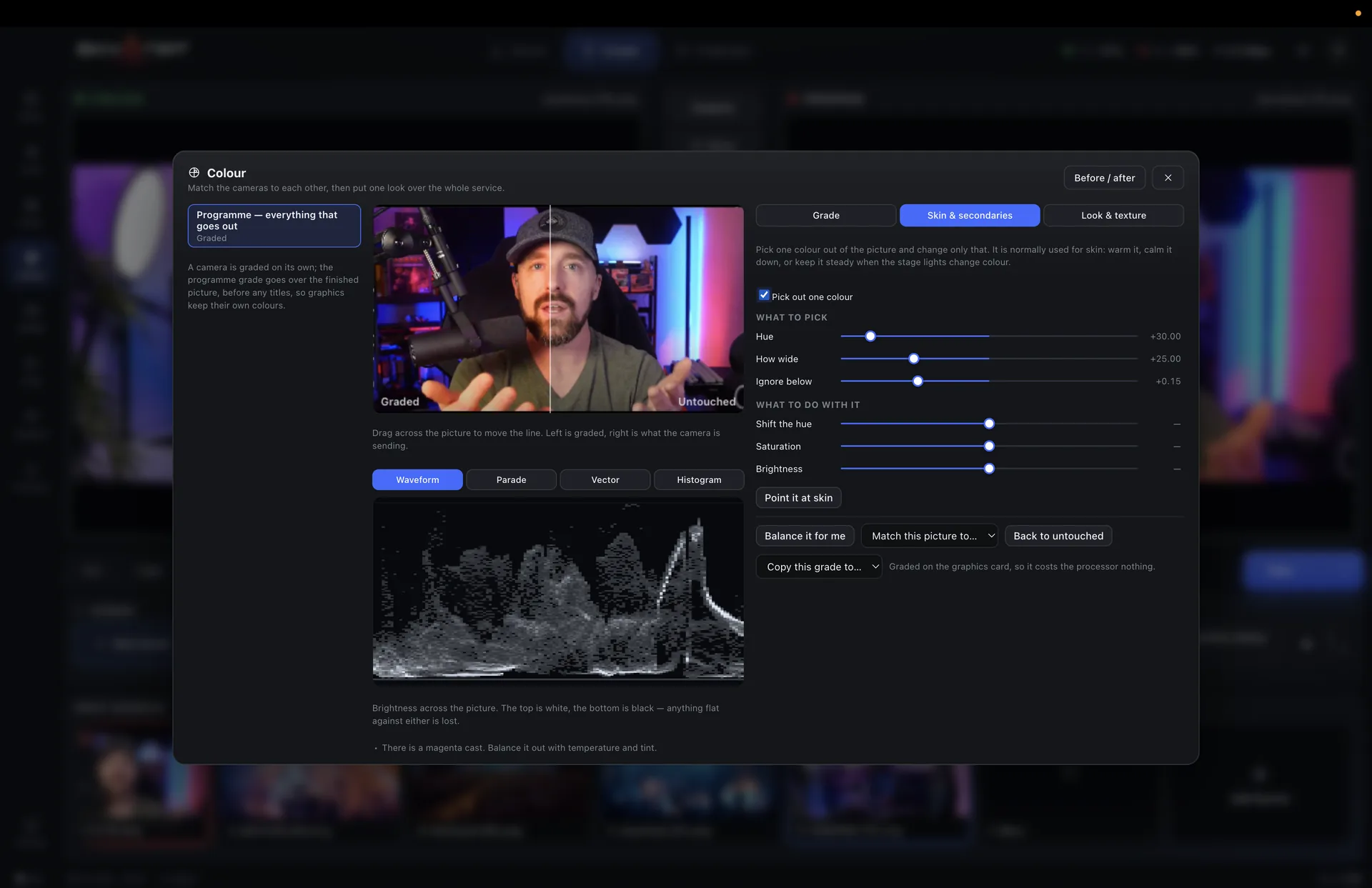
Isolate one colour — a jacket, a backdrop, a skin tone — and change only that, leaving the rest of the frame untouched.
Without it: fixing an orange wall also fixes everybody’s face, which was not broken.
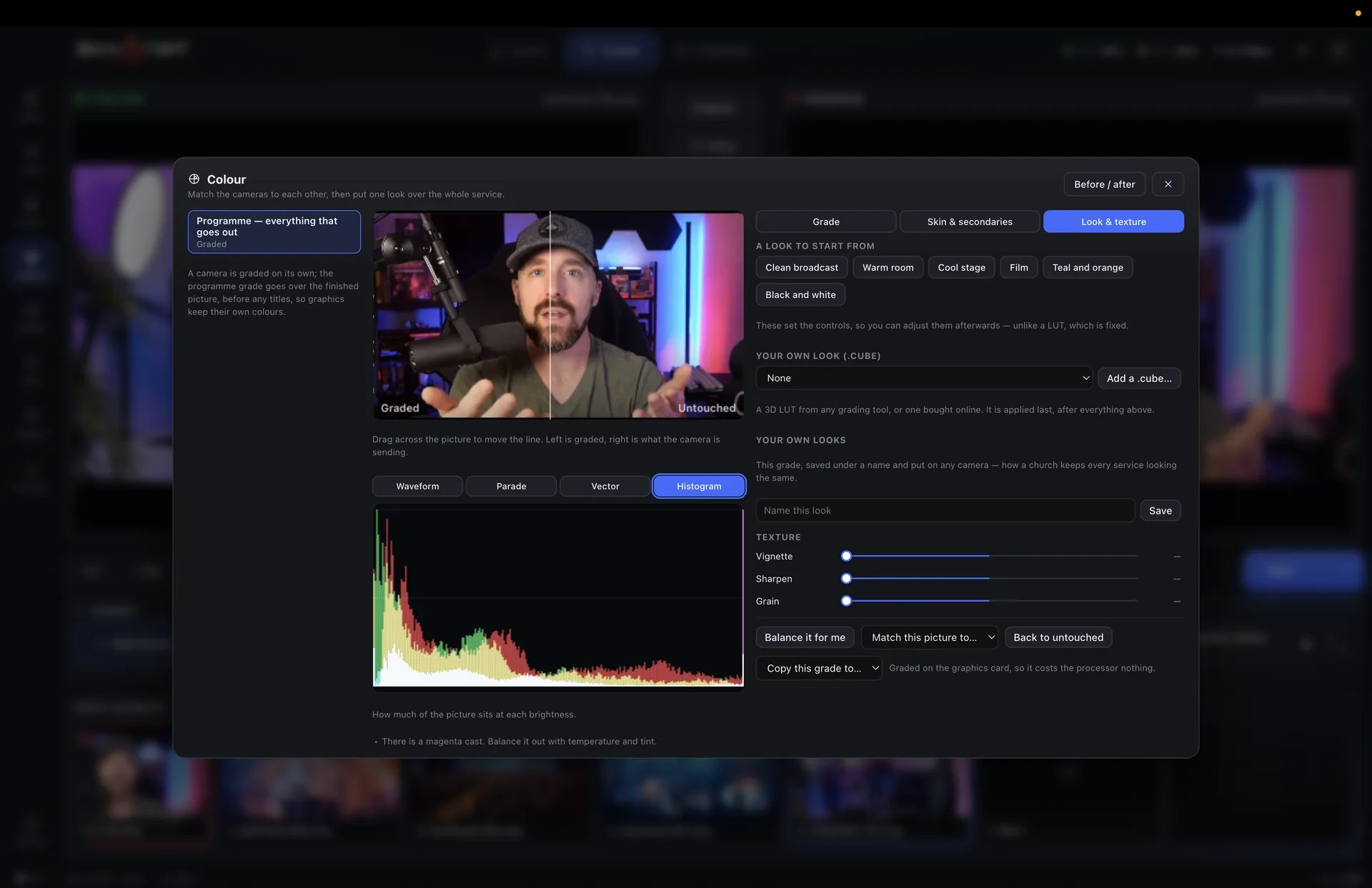
Load the .cube files you already use, from a camera manufacturer or a colourist, and apply them per camera or across the programme.
Without it: a look you have already paid for or already built cannot come with you.
Analyses the picture and gets the camera close in one click. Then you refine, or you do not.
Without it: the operator either learns colour theory before Sunday or ships whatever the camera decided.
Pick the camera you like the look of and match every other one to it. The differences that survive a cut are exactly the ones this removes.
Without it: a six-camera shoot looks like six separate shoots intercut.
Waveform for exposure, RGB parade for casts, vectorscope for skin tones against the line, histogram for the range as a whole. All four live, all four at once if you want them.
Pick the colour with an eyedropper, set how wide a range it catches and how softly it falls off, then shift it. The mask can be previewed so you can see exactly what you are about to change.
A final look applied across the whole output, after the per-camera work.
Stripes over anything about to clip, so exposure is a fact rather than an opinion.
The whole frame mapped to exposure values at a glance.
Highlights the edges that are actually sharp.
Title and action safe guides for platforms that crop.
The grade runs on the graphics card, so adding it does not cost you frames.
Save a camera’s grade and recall it next week, or copy it to another camera.
Grading is applied before recording as well as before streaming, so the isolated camera files carry the look.
Or $19 a month. Affordable, and everything is in it — every update in the year included, nothing renews on its own. Max, with the heavy GPU features, is $599 a year or $79 a month.
