
The text tools that normally live in separate presentation software, running inside the switcher — so the words and the pictures are driven by the same person, from the same desk.
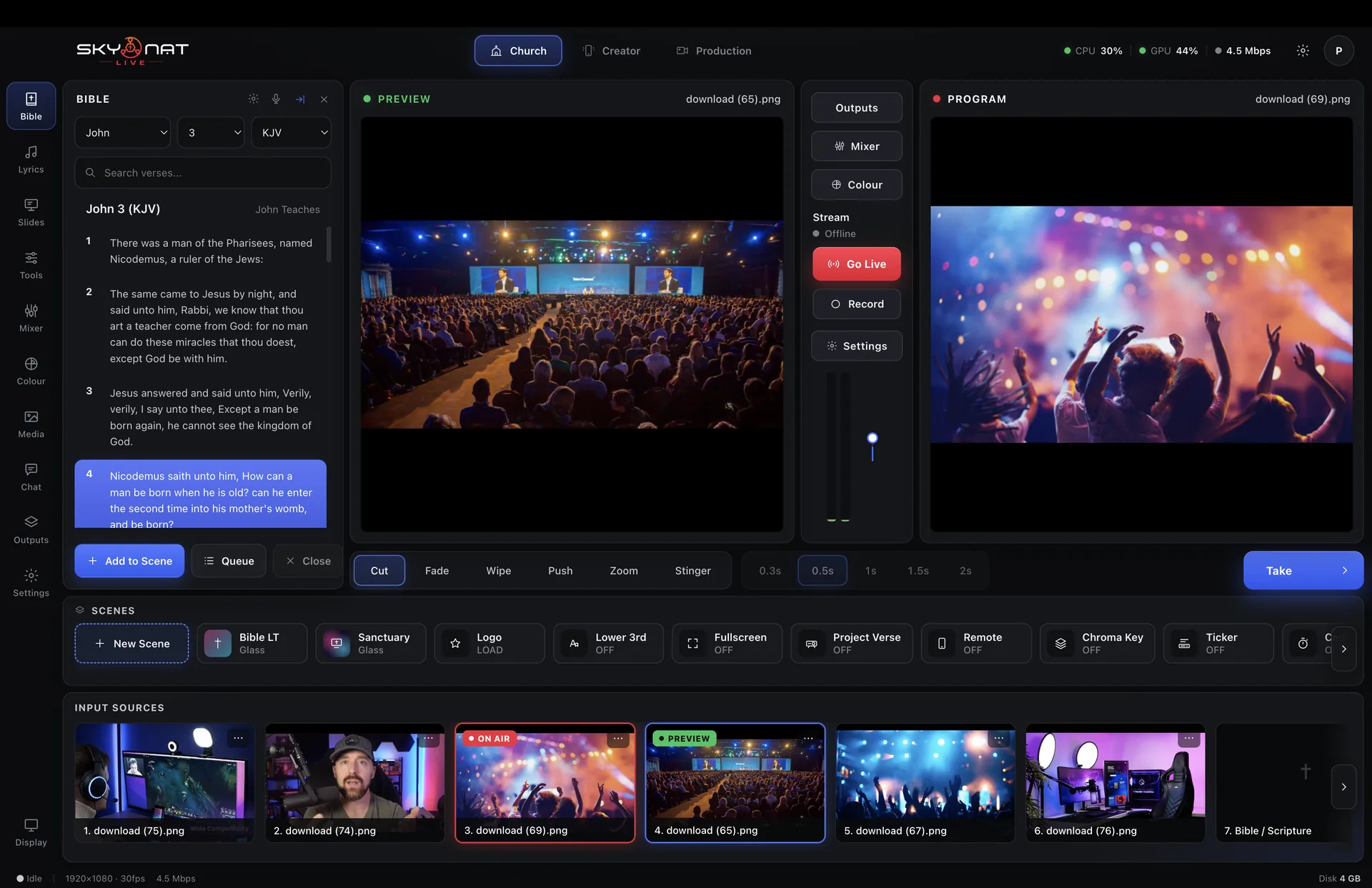
Everything here works with no internet connection. The translations and the slides are on the machine.
A list of feature names tells you nothing. Here is the problem each one solves, and what the show looks like without it.
King James, World English Bible and American Standard, on the machine. Type a reference or a phrase and it is found, formatted and ready to put on screen.
Without it: scripture comes from a browser window on a second computer, captured off a second screen, at whatever resolution that screen was.
Say the reference out loud and it finds it. Built for the moment the speaker goes somewhere the running order did not.
Without it: the operator is typing a reference while the room waits, and everybody can tell.
Line by line, in a designed frame, including CCLI-formatted text with the licence details in the right place.
Without it: lyrics are images exported ahead of time, which means the set list is fixed before the band arrives.
Import the deck you already have and drive it from the switcher, as just another source that can be taken to air.
Without it: the slides live on a laptop behind the stage and somebody has to coordinate two operators by hand signal.
A separate output carrying just the words, for the screens in the room — so the congregation or audience sees the text while the stream sees the full picture.
Without it: the room and the stream have to show the same thing, and one of them is always compromised.
Generated on this machine, with no cloud key and no per-minute charge. Burned into the picture, or written out as VTT and SRT alongside the recording.
Without it: captions are a paid service, a post-production job, or absent.
No second operator, no second machine, no hand signals across a dark room. The person cutting cameras is the person putting the verse up, and both are one key away.
By book, chapter and verse, or by a phrase you half-remember.
Put several verses up together, formatted to fit.
Advance from the stage with the clicker you already own.
Not a text box — a graphic, with the same brand as everything else.
Build the whole running order of text before the show starts.
On the picture for platforms that want it, or as files for platforms that prefer them.
Scripture text used here is from translations in the public domain, which is why it can ship on the machine and work offline.
Or $19 a month. Affordable, and everything is in it — every update in the year included, nothing renews on its own. Max, with the heavy GPU features, is $599 a year or $79 a month.
